Remote desktop / VNC
- Screen-share latency and compression
- Desktop UI squeezed onto a 6-inch display
- Cursor emulation for mouse-first controls
- A reconnect can interrupt the whole interaction
Self-hosted · single-tenant · free alpha
Not remote desktop: the phone renders a touch-first interface while your own Linux box runs the terminals, repos, dev servers, and agents.
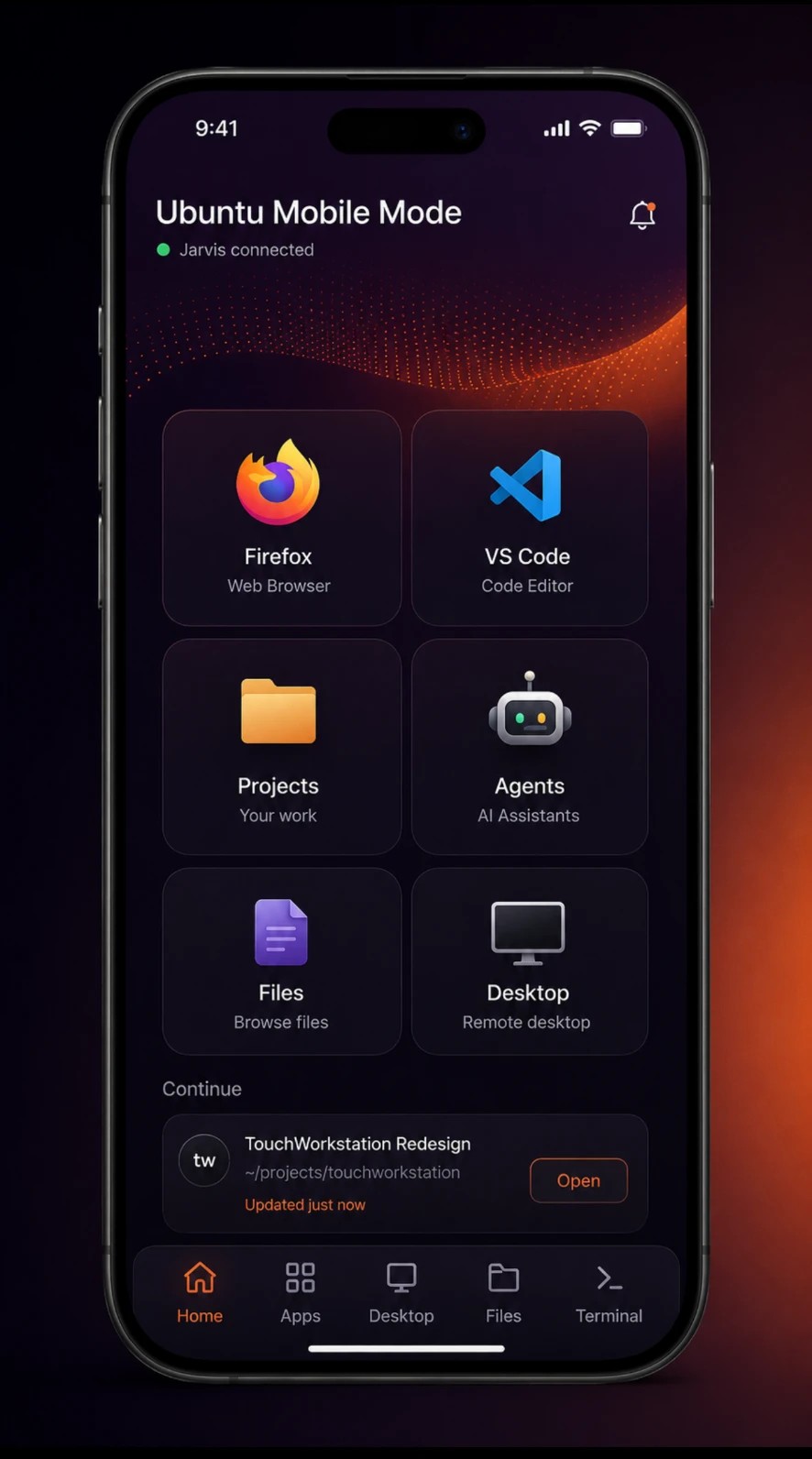
phone UI · linux processes
Mission
Real development work is still chained to a desk. Most mobile options are either read-only dashboards or remote desktops that put a 1440p interface behind a six-inch window and ask you to drag a fake cursor through it.
The bet behind TouchWorkstation is simple: build the interface for touch from the start and leave the heavy work on the machine. A phone becomes a legitimate control surface—you can pull a repo, run it, preview it live, hand it to an agent, verify the result, and ship it.
It installs on your machine, runs as a systemd service, and stays on your network. Your machine, your network, your data. No TouchWorkstation account, no telemetry, and no cloud dependency.
Category check
The difference is not lower latency. It is a different interface and a different failure model.
Feature deep-dive
Each screen maps to something real on the workstation. There is no simulated shell and no hosted copy of the repository.
Every session runs inside tmux. Put the app in the background, switch networks, or lose signal in a tunnel—the process keeps running on your machine.
The interface gives you real scrollback, usable selection and copy/paste, plus a control-key row for the keys mobile keyboards decided you did not need.
$ bun run devready in 412 mslocal: http://localhost:5173 [detached · process still running]$ tmux attach -t api-gatewayPick a repository, install its dependencies, and start the dev server on the Linux box. TouchWorkstation probes readiness before opening the preview, so the first thing you see is the app—not a browser error while Vite is still waking up.
Projects become first-class items on the home screen. Start, stop, inspect, and reopen them without reconstructing the command from shell history.
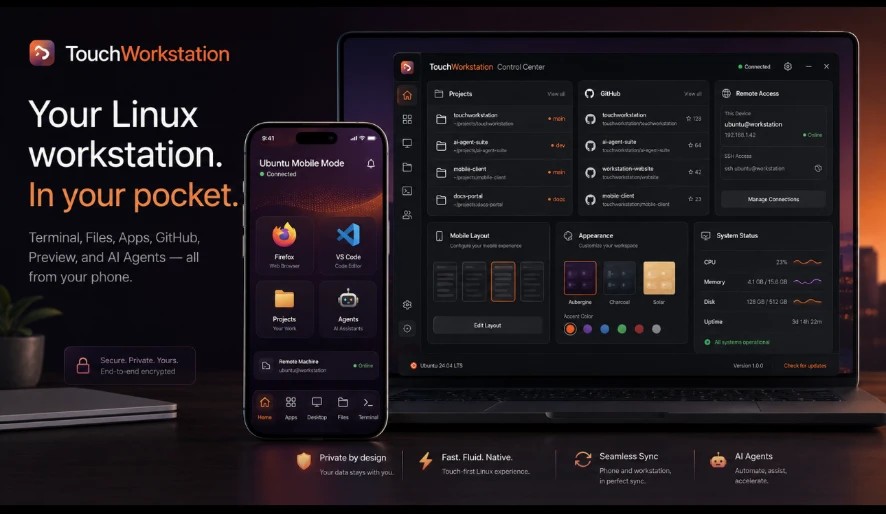
Connect through GitHub's device-flow OAuth using the gh CLI already running on your box. Credentials stay where your development credentials already live.
Browse repositories, clone one, inspect status, and run common Git actions without typing commands one-handed. The full terminal is still there when you need it.
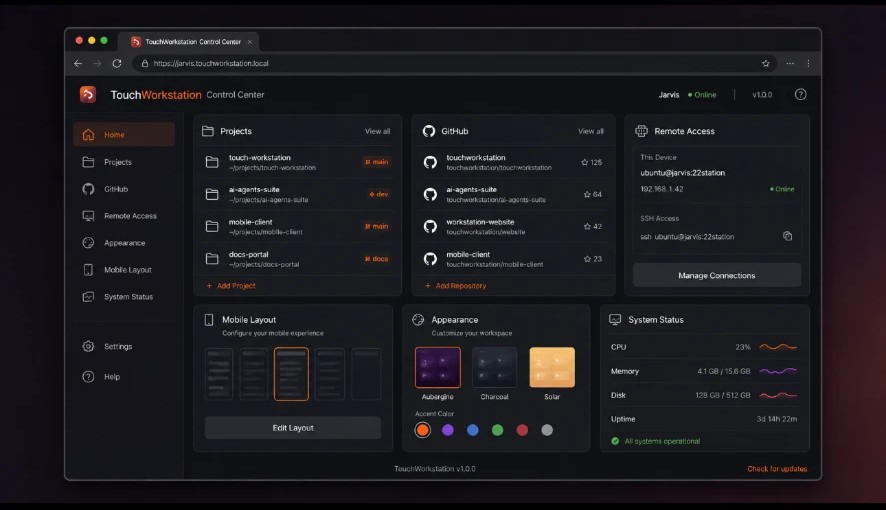
Launch Claude Code or Codex directly into a managed terminal session for the repository you are working in. Agent output is surfaced in the phone UI while the real process keeps running on the workstation.
The runtime is deliberately pluggable. TouchWorkstation coordinates the session and workflow; it does not force every project through one vendor or one model.
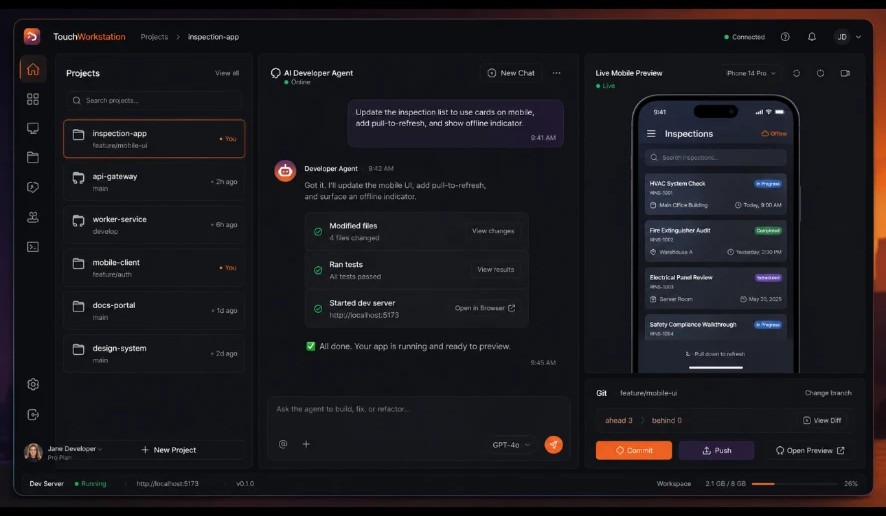
A green agent response is not the same as a working change. Test runs are a visible stage between editing and commit, with their result attached to the project workflow.
You decide what ships. The interface keeps the test state in front of you before commit and push instead of burying it in a terminal tab you forgot was open.
project / verify
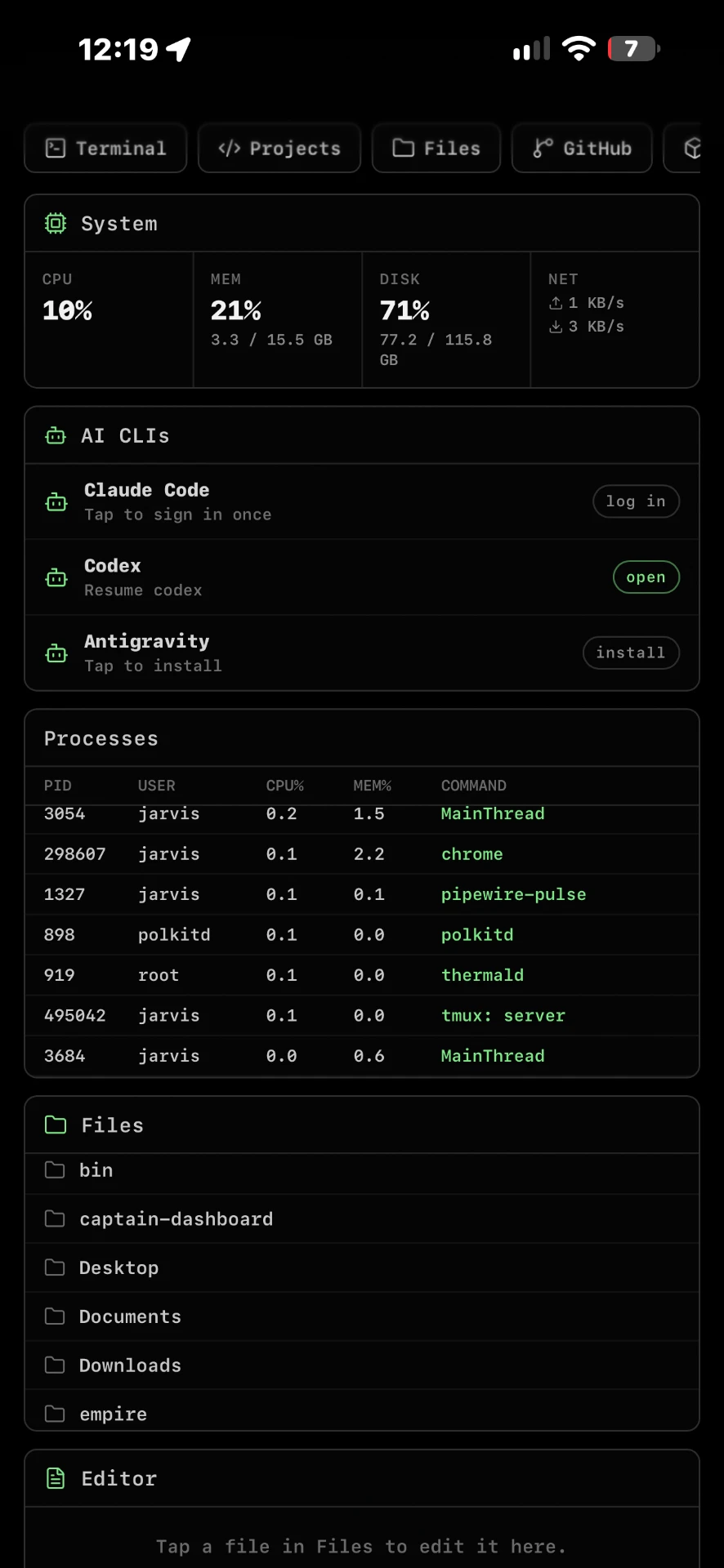
The phone interface exposes the small set of machine controls you actually reach for: a file browser, Docker containers, systemd services, running processes, and resource use.
This is not a launcher that dumps every installed desktop application into a smaller grid. It is a focused control surface for development work.
Files
1,284
Containers
4 running
Services
healthy
Processes
126
TouchWorkstation is an installable React PWA designed around a phone screen from the first route. Navigation, gestures, and controls are built for thumbs instead of being desktop UI that happens to fit.
The home screen is yours: drag tiles into the order you use them, keep the frequent tools close, and leave the rest off the first screen.
The local service uses a JWT session cookie and forces a password change on first login. Remote access is through Tailscale, not a public port or a relay operated by TouchWorkstation.
If the service crashes, recovery is explicit: the next login shows a plain-language notice rather than silently dropping state and pretending nothing happened.

Same machine, same theme, fewer reasons to unfold a laptop.
$ it compiled on one machine. naturally, this is now a supported platform.
How it works
Run one command on the Linux machine. The package installs the local service and its systemd unit.
Open the local URL on your phone and add TouchWorkstation to the home screen.
Put both devices on your tailnet for access away from home without opening a public port.
Open terminals, pull repos, start projects, preview apps, and hand scoped tasks to agents.
Under the hood
The pieces are intentionally boring enough to inspect, restart, and remove.
Install by distro
Run the one-liner on the Linux workstation. It detects the package manager and architecture, then pulls the matching alpha artifact.
curl -fsSL https://touchworkstation.com/api/public/install | shThe installer endpoint chooses an uploaded build first and falls back to the matching GitHub release artifact when needed. No access code is required.
Debian
.deb
apt / dpkg
Ubuntu
.deb
apt / dpkg
Fedora · RHEL
.rpm
dnf / yum
openSUSE
.rpm
zypper
Arch
PKGBUILD
makepkg
Omarchy
PKGBUILD
pacman
Alpha status
Expect rough edges, incomplete paths, and builds that need a second pass. Expect to file bugs. If the workflow clicks, expect the phone to become useful for work you previously postponed until you got back to a laptop.
This is for
Developers who own a Linux machine, are comfortable in a terminal, and want to test a phone-first control surface.
This is not for
Anyone looking for a hosted workspace, a managed cloud IDE, or a service they do not have to install and operate.
FAQ
No. TouchWorkstation does not stream desktop pixels or emulate a mouse. The phone renders a touch-first interface while commands and processes run on your Linux machine.
No. TouchWorkstation is single-tenant and runs on your hardware. Your repositories, terminal sessions, credentials, and project files remain on that machine.
No. The service listens on your network and remote access uses Tailscale. You do not open a public HTTPS endpoint or forward router ports.
The alpha targets Debian and Ubuntu with .deb packages, Fedora, RHEL, and openSUSE with .rpm packages, and Arch through a PKGBUILD. Omarchy support is live.
Yes. The client is an installable PWA and is designed for current mobile browsers on both iOS and Android.
Terminal and agent sessions keep running inside tmux on your workstation. Reopen the app when connectivity returns and attach to the same session and scrollback.
Yes. The source and build history live on GitHub under TouchWorkStation/TouchWorkstation.
Nothing during the alpha. TouchWorkstation is currently a free alpha for developers willing to run it, test it, and report the rough edges.
Test hub
The test hub is open. Browse the build history, grab the installer, report issues, and see what's known before you put it on a machine.